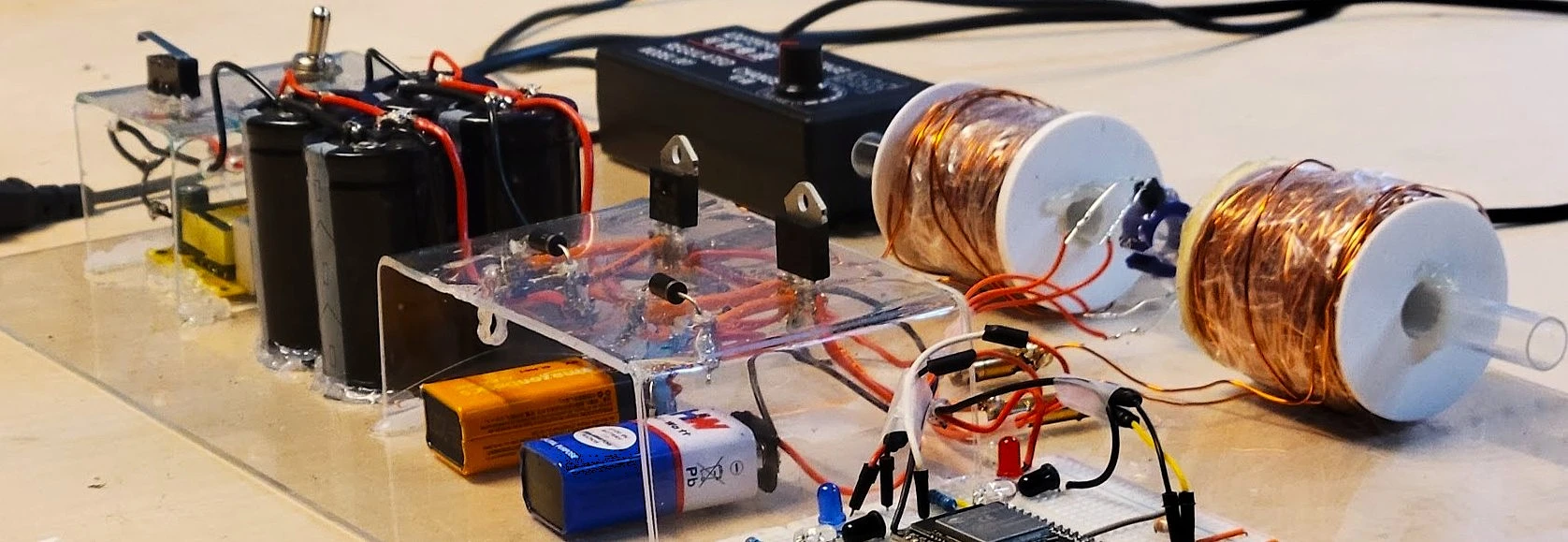



Multi-stage Coil Gun — project illustration

Multi-stage coilgun ⚡🧲

The idea


  • After building my Automatic Xylophone , I wanted to take the idea further.
  • This time, I wanted to explore high-voltage electronics.


Safety and legal notes

  • High voltage : This project involves voltages up to 380 V, which can cause serious injury or death. This is a record of our experiments, not a safety-validated build guide.
Alert ! — project illustration

Alert ! — project illustration
  • Regulations: We live live in Canada, guns here are heavily resitrcted, while its fine to make Coil/Rail guns without a license, they should NOT exceed 500 feet/s or produce over 5.7 Joules of energy or else they will fall under FireArms. So It's a good idea to check the laws of your country.

How it works

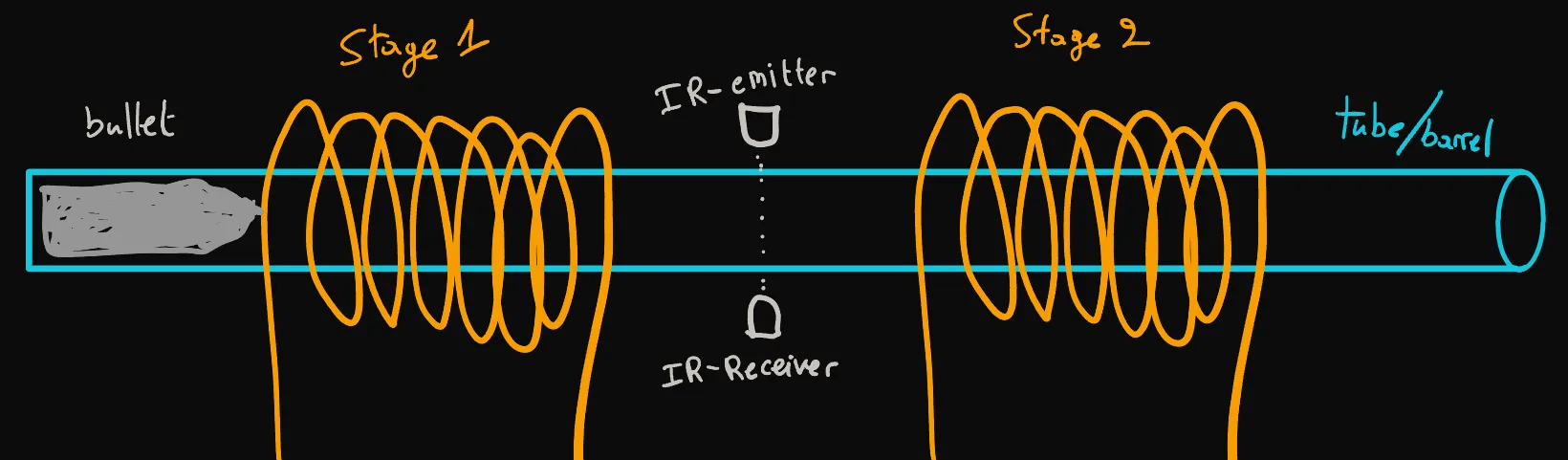

  • A coilgun sends a high-current pulse through a coil of wire, creating a strong magnetic field that accelerates a metal projectile. The animation shows three stages, but our build uses two. A sensor between the stages detects the projectile as it passes and triggers the second stage.
How it works — project illustration

Early testing


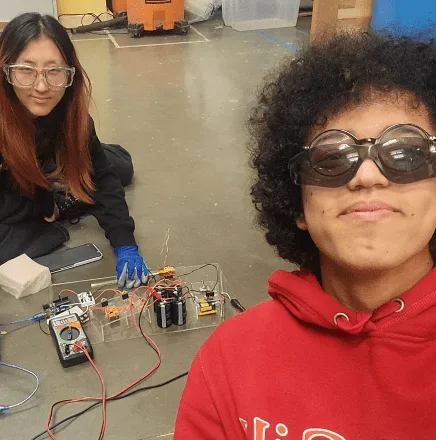
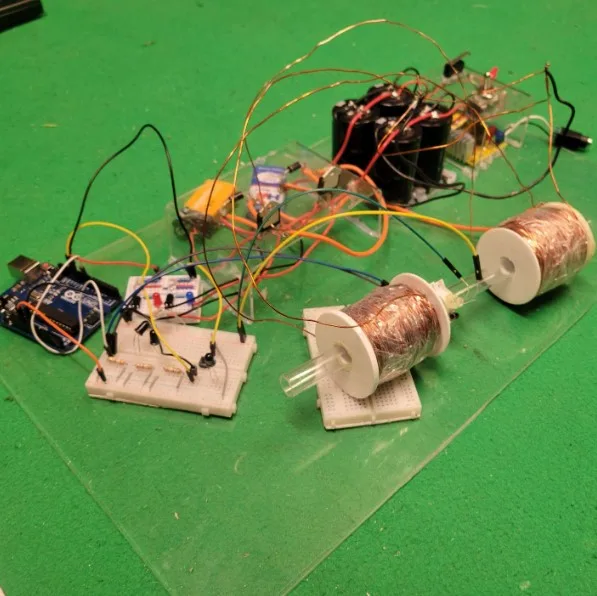

  • We started by experimenting with low-voltage capacitors to get comfortable with the basic circuit before moving to the much more dangerous high-voltage setup. We tried several capacitors and different coil wiring configurations to get a rough idea of what worked best.
  • In the circuit on the right, we charged the capacitor to 19 V, disconnected the power supply, and connected it to the coil. As the capacitor discharged, current flowed through the coil and generated a magnetic field that accelerated the projectile forward.

Early testing — project illustration
  • Idea: Compare different triggering mechanisms and determine which configuration would work best for the second stage of our coilgun.
  • The transistors we tried drew too much current, so we tested a mechanical relay as a switch instead. We also tried multiple capacitors to increase the stored energy. However, we abandoned that configuration because the projectile sometimes oscillated and lost speed.

Joystick & software integration (optional)




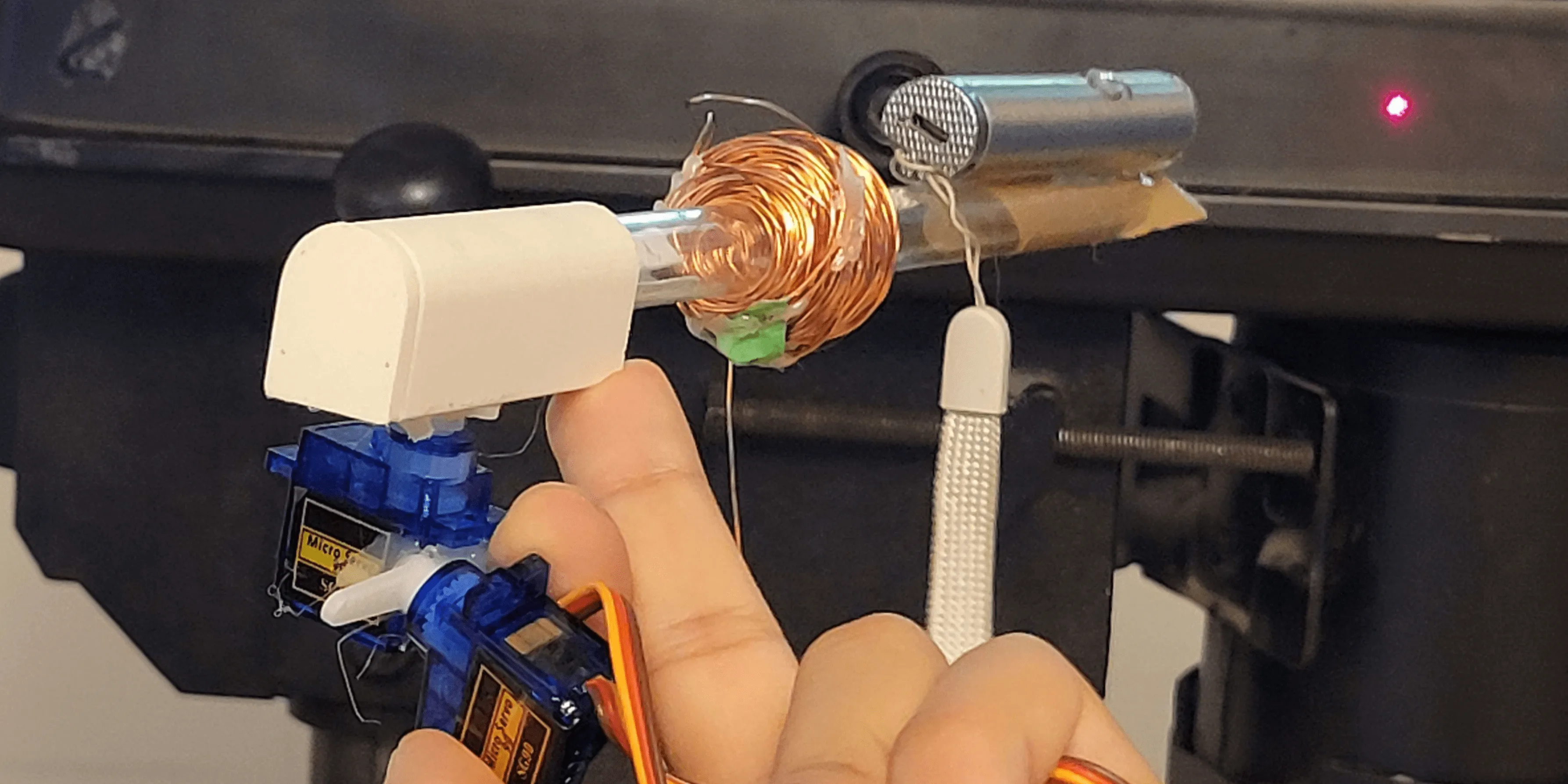
  • This project was mainly electronics, so we wanted to add a software component. We found two servo motors and experimented with using a joystick to control the barrel’s direction. The longer-term goal was to explore computer vision with OpenCV and tools such as MediaPipe, eventually allowing the turret to track targets automatically.
  • Beyond the software, this would need a sturdy frame to support the barrel’s weight and withstand recoil. We started with a laser pointer to check the movement and joystick control, then moved on to testing a single stage at low power.
  • We found a library that worked well with joysticks and Xbox controllers: the GCP library. This tutorial that explains the setup and shows how to use it with an Arduino.
  • Since our project uses an ESP32, some of the Arduino libraries in the example, including Servo.h and Firmata, were not compatible with our setup. I did some research but could not find a complete A-to-Z tutorial, so I adapted the code myself. It worked with the ESP32, and the Arduino tutorial above was still a useful reference for the main setup steps. If you are using an ESP32, you can follow that explanation alongside my ESP32 adaptation is available here.
(Optional): Joystick & Software integration — project illustration

(Optional): Joystick & Software integration — project illustration

A lesson in mechanical support

I am not sure what I expected from gluing two small servos together, but the mount clearly was not up to the job. In the test on the left, the capacitors were charged to only 15%, and the servos still failed completely.
LMAO — project illustration

Future improvements

future improvements — project illustration
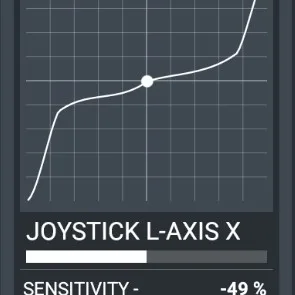
Nonlinear input mapping for finer joystick control.
future improvements — project illustration
A sturdier barrel support.
future improvements — project illustration
OpenCV, AI, Wi-Fi, and Bluetooth integration.

High-voltage components

High Voltage Components — project illustration
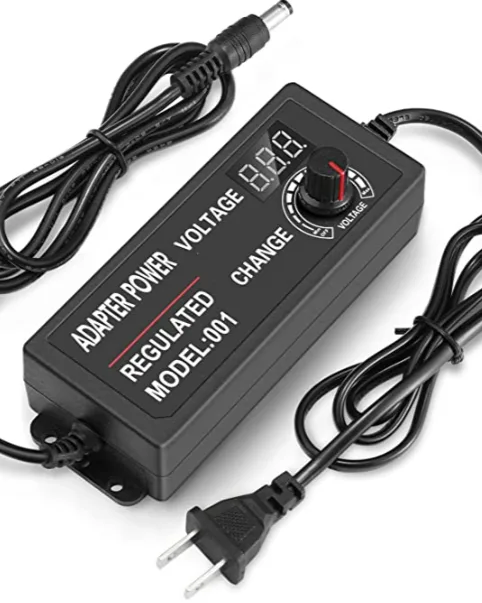
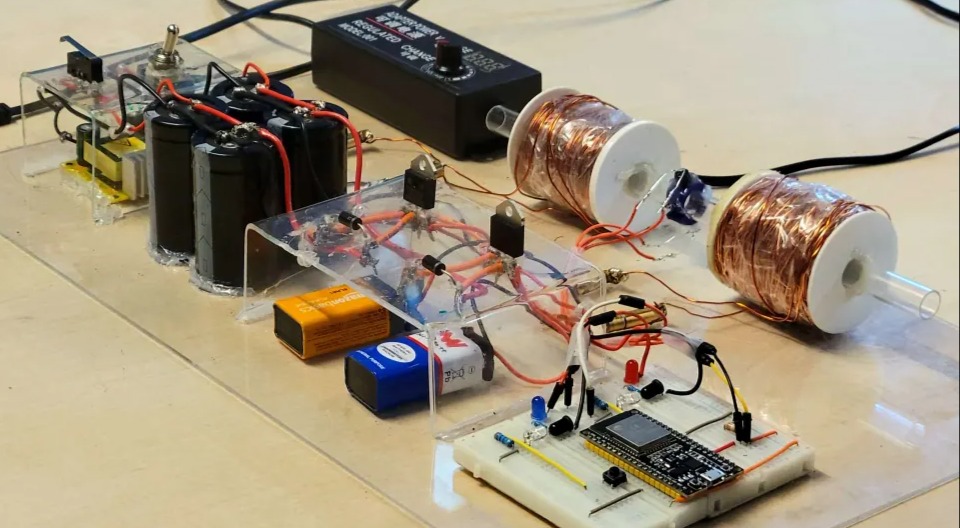
AC to > 3–12 V DC power supply.
High Voltage Components — project illustration
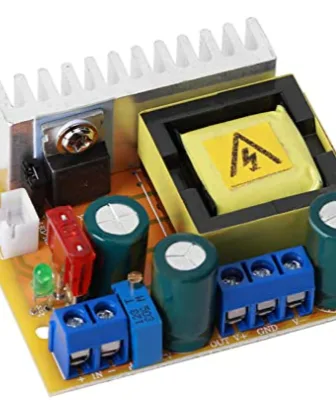
12 V to > 45–385 V DC-DC boost converter.
High Voltage Components — project illustration
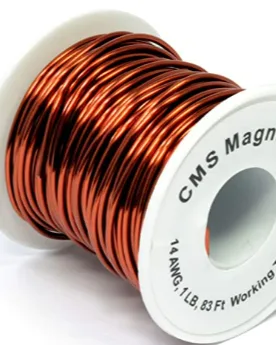
Thicker magnet wire for lower resistance.
High Voltage Components — project illustration
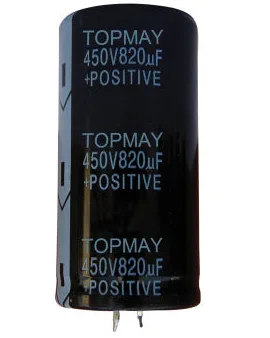
Three 820 µF capacitors and one 680 µF capacitor, all rated for 450 V.

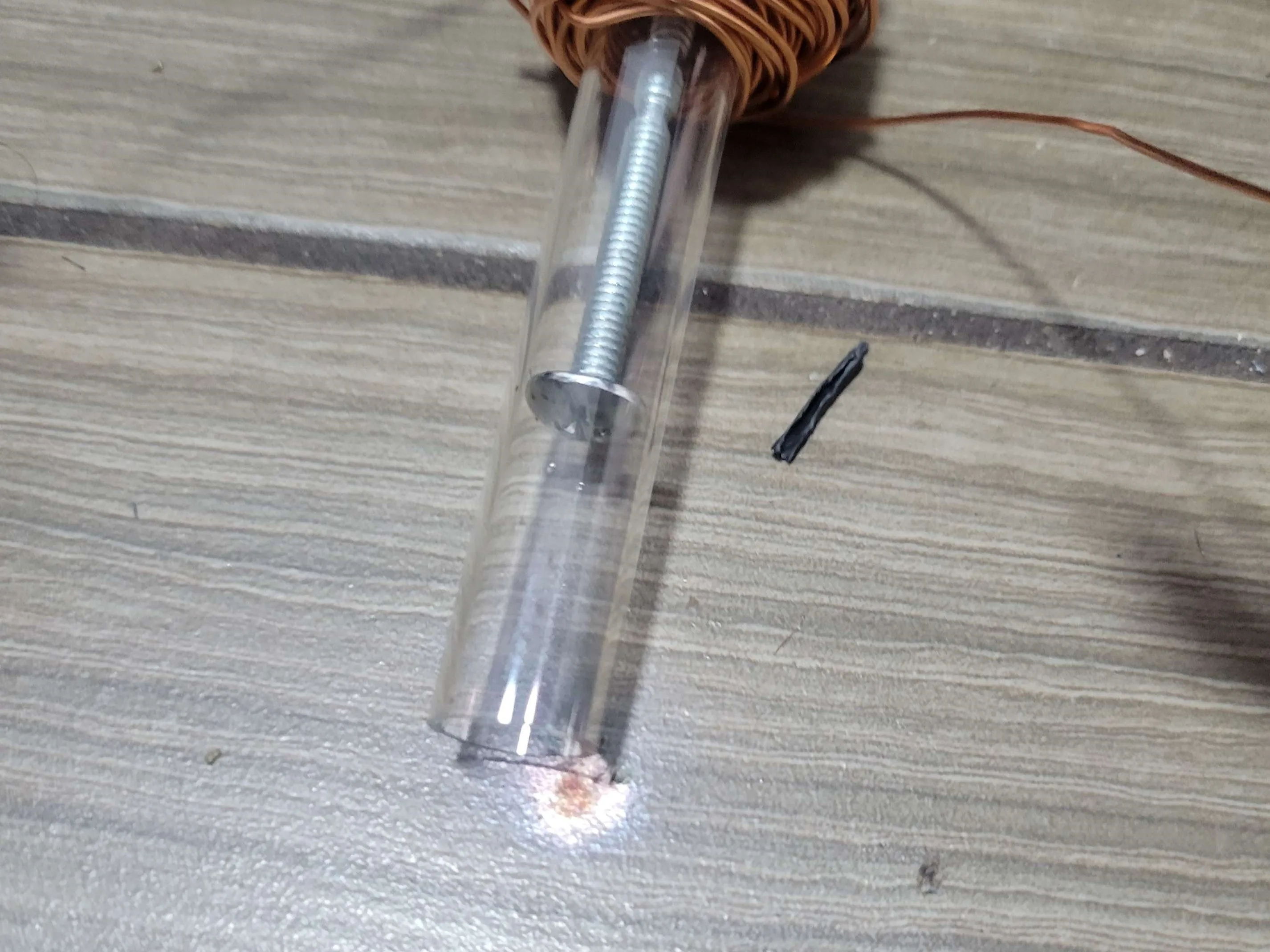
First high-voltage firing test.
Capacitor short-circuit test (loud audio).
High Voltage Components — project illustration
Permanent damage to the floor :/

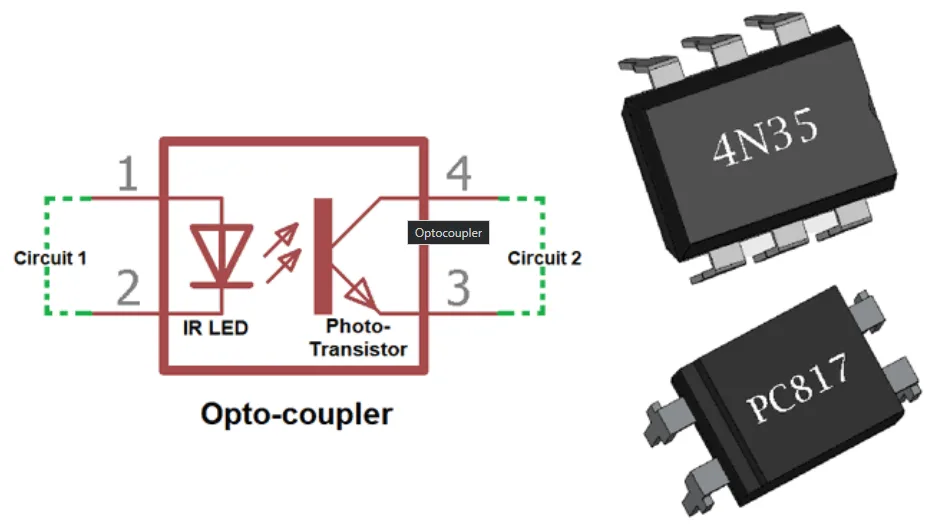
Optocoupler


  • Because this project involves high voltages and currents, we wanted to keep the high-voltage section electrically isolated from both the microcontroller and the user controls.
  • Optocouplers transmit signals via infrared light, keeping both sides of the circuit physically separated.
  • Unfortunately, we ran into problems with our optocoupler. We were not sure whether it was defective or whether we had damaged it during testing. Either way, we decided to try making our own version.
Optocoupler — project illustration


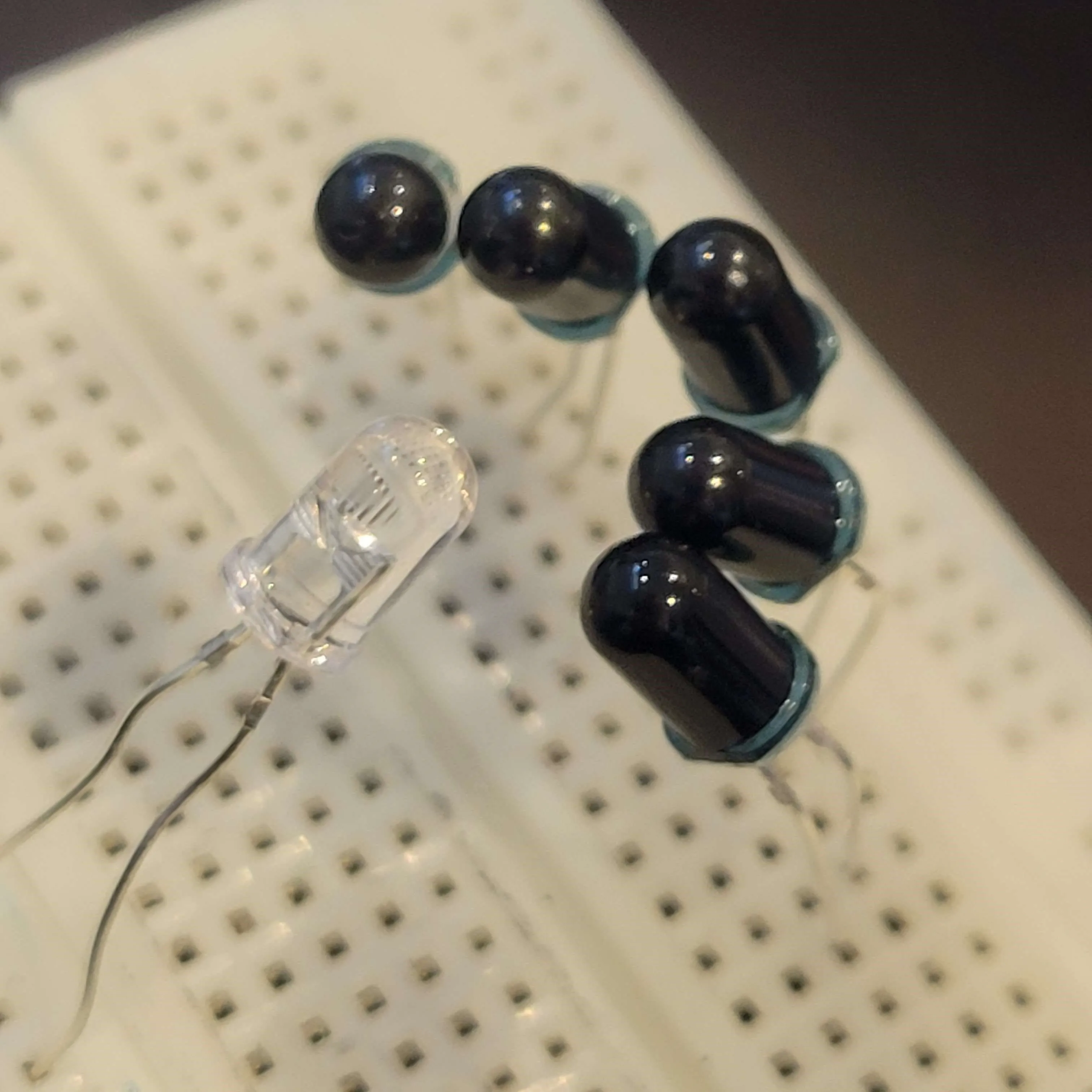
  • As shown in the photos, the two circuits are physically separated from each other.
  • An IR emitter (the clear diode) faces a receiver (the black diode). In our test, the receiver measured about 3 MΩ with the emitter off, behaving like an open circuit. With the emitter on, that resistance dropped to about 30 Ω, allowing current through the receiving circuit. The red and blue LEDs are visual indicators for the two sides.
  • Another advantage of the homemade optocoupler was how easy it was to inspect and troubleshoot. We could use a camera to check that the IR emitter 🟣 was working, then measure the receiver’s resistance to see how it responded.
Optocoupler — project illustration

SCR thyristors


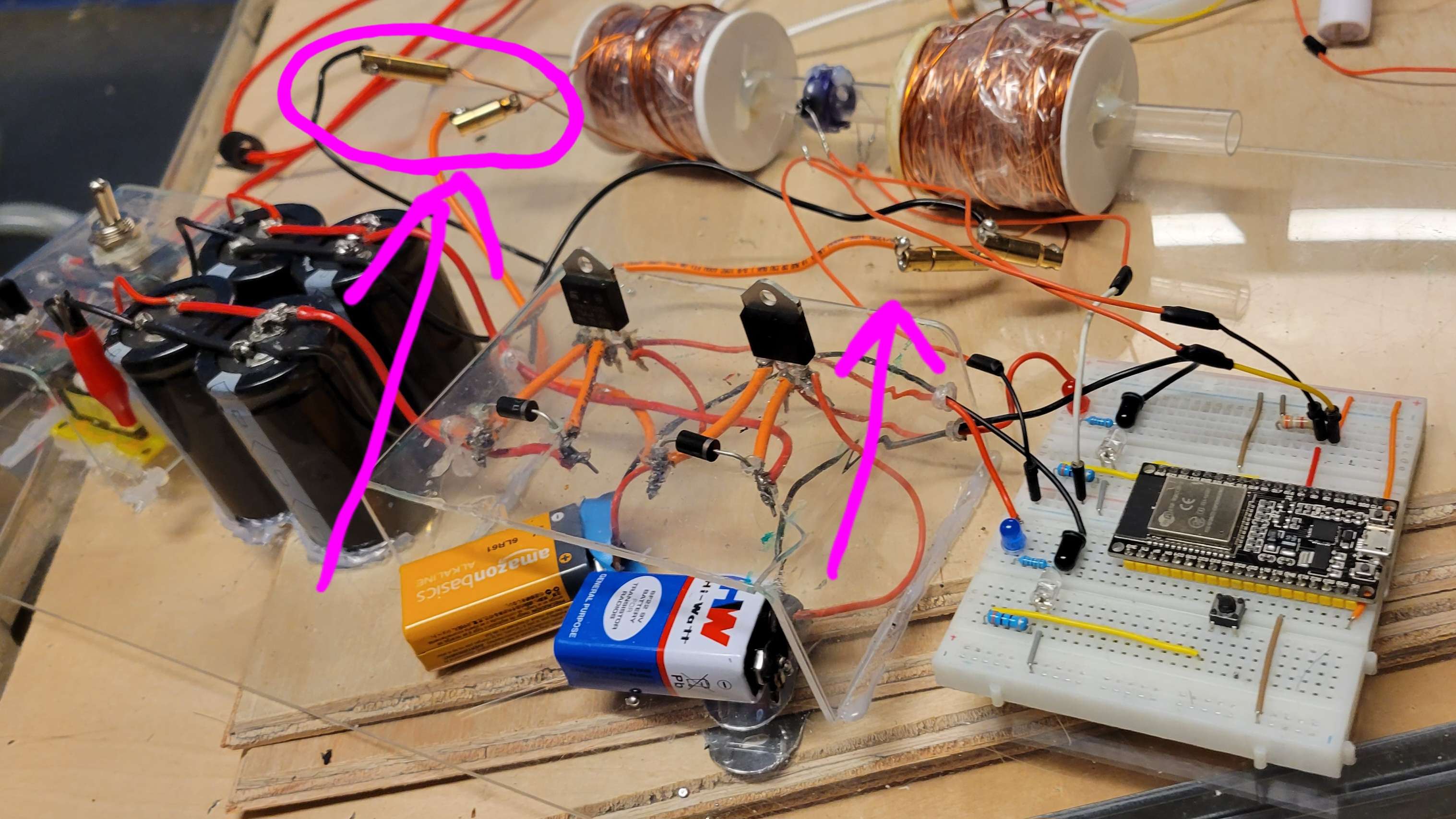
  • We chose thyristors for the high-voltage section because of their high-current capability and suitability for our circuit.

  • An SCR thyristor remains conductive after its initial gate signal is removed. Unlike a transistor that needs a sustained control signal, an SCR latches on once triggered. It continues conducting until the current falls below its holding current, then switches off and returns to its nonconducting state. This was an important distinction when choosing the switching components.

SCR - Thyristors — project illustration
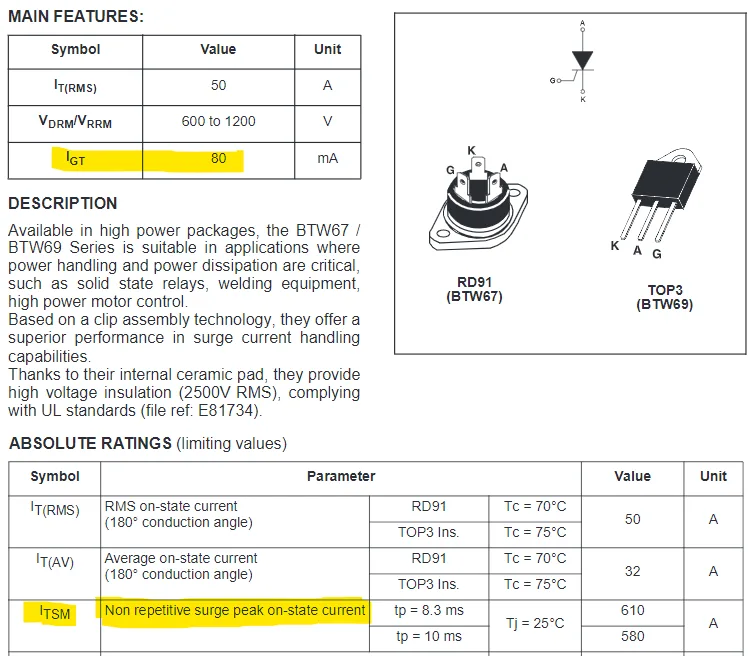
    BTW69-1200
Key ratings: I_GT (gate trigger current) and I_TSM (peak surge current).
First test with the thyristor and optocoupler, isolating the push-button control from the high-voltage circuit.

Second stage


  • The sensor uses the same IR emitter–receiver principle, but detects an interruption in the light beam.
  • With the emitter on > the receiver’s resistance is low > and the microcontroller reads HIGH.
  • When the projectile blocks the beam > the receiver’s resistance rises > and the input goes LOW, triggering the second stage.
2nd Stage — project illustration

2nd Stage — project illustration

Testing the IR sensor with a moving projectile.
2nd Stage — project illustration
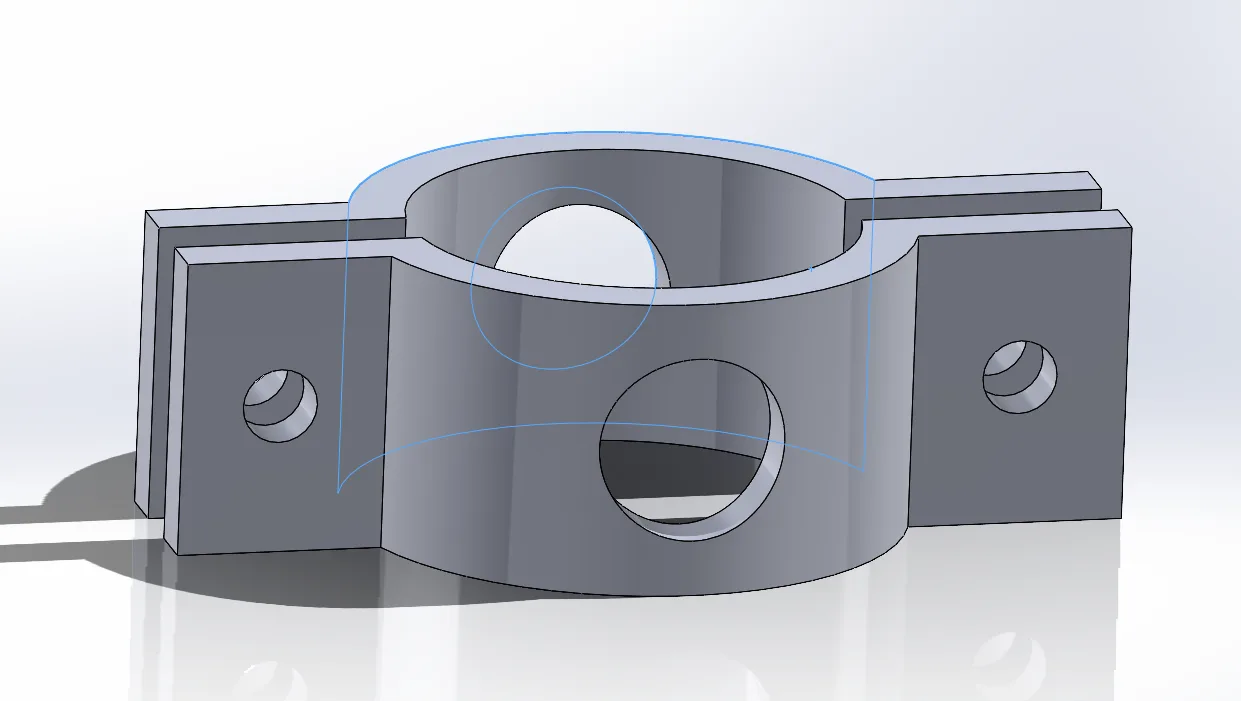
Initial CAD design for the sensor holder.

Manufacturing


Manufacturing — project illustration
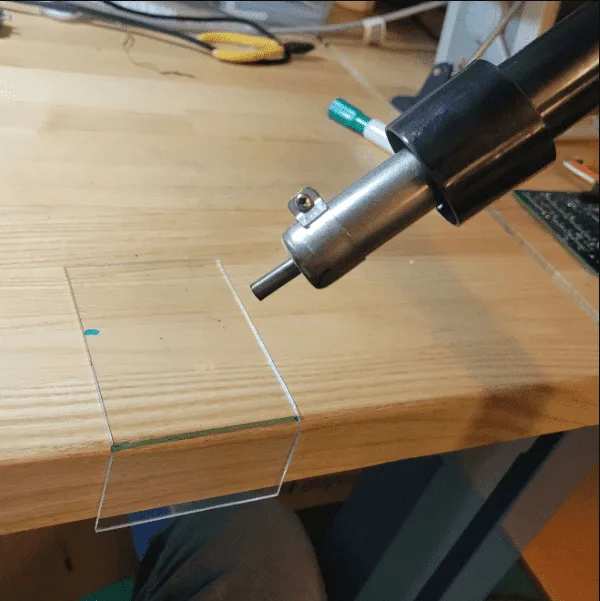
Bending the plexiglass.
Manufacturing — project illustration
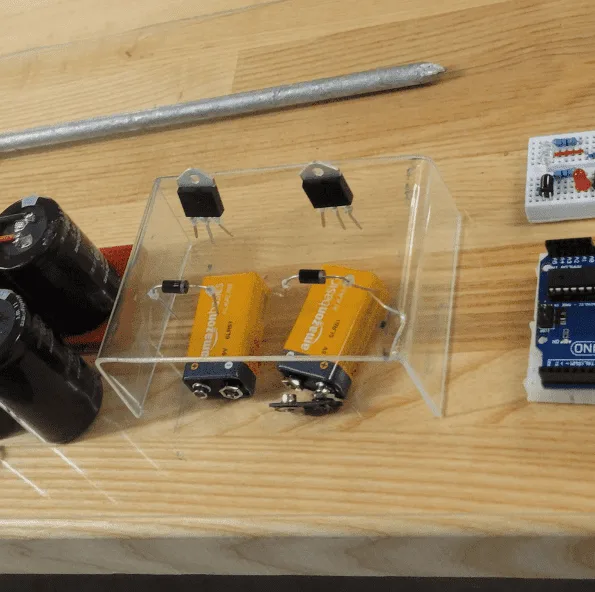
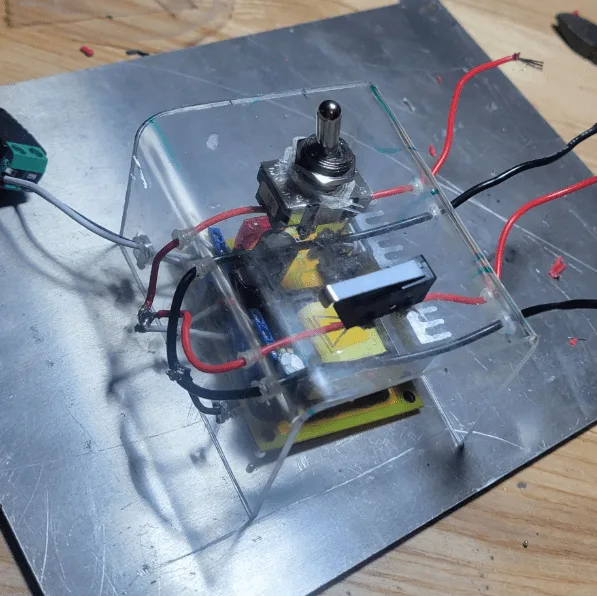
Thyristor mount.
Manufacturing — project illustration
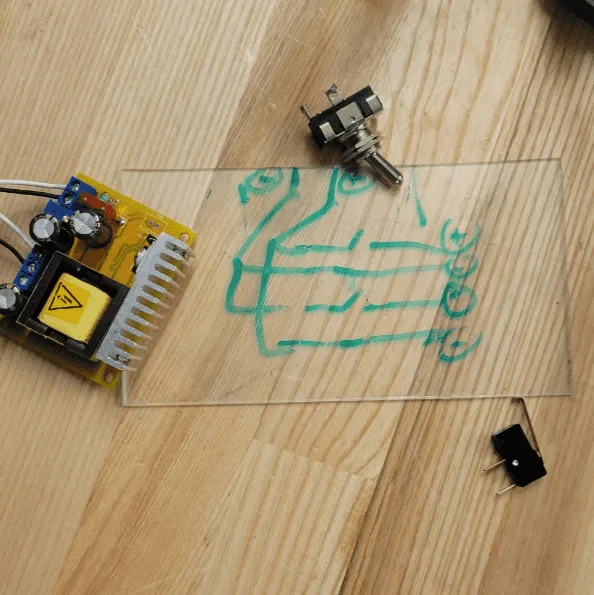

PCB design, DIY edition.
Manufacturing — project illustration
High-voltage converter mount.
Manufacturing — project illustration
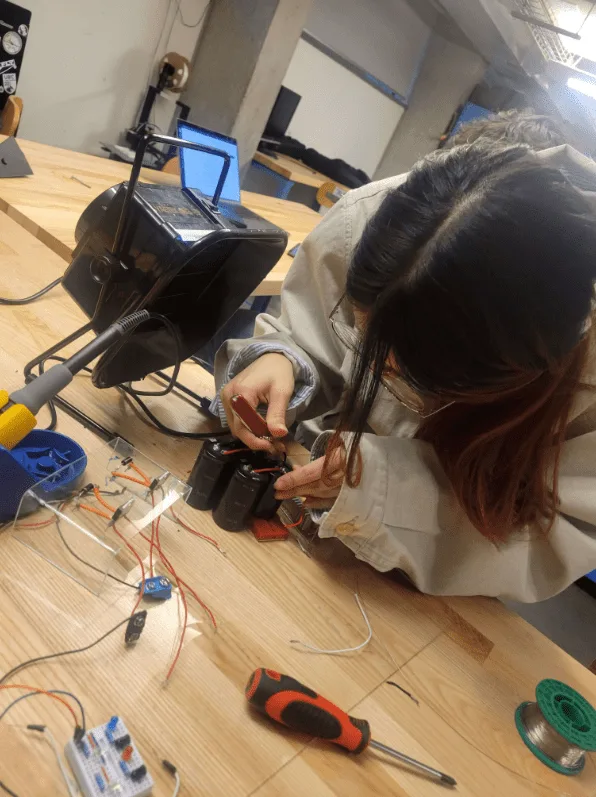
Hard working.
Manufacturing — project illustration
Hardly working.
Manufacturing — project illustration
Certified mechanical monkey.
Manufacturing — project illustration
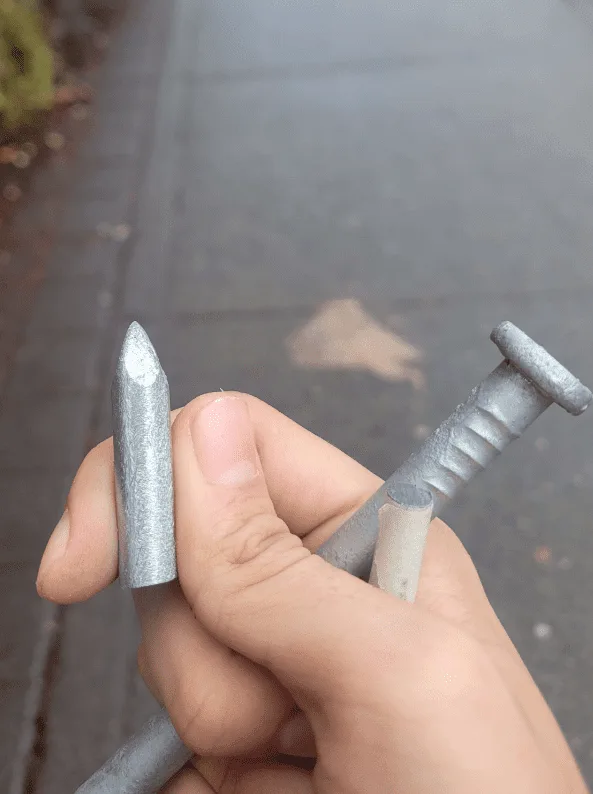
Nails from Home Depot.
Manufacturing — project illustration
Work smarter, not harder.
Manufacturing — project illustration
Integration test.
Manufacturing — project illustration
No comment.
Manufacturing — project illustration
Pretty much done.
Manufacturing — project illustration
Switched to an ESP32 and added connectors for a removable barrel.
Manufacturing — project illustration
Looking good :)

Build note


  • Since the barrel was intended to be temporary, we did not build a dedicated support frame for it. The plan was to add a sturdier mechanical structure before developing the joystick controls further or exploring additional software features, such as face detection and Wi-Fi connectivity.
Quick note: — project illustration

Circuit


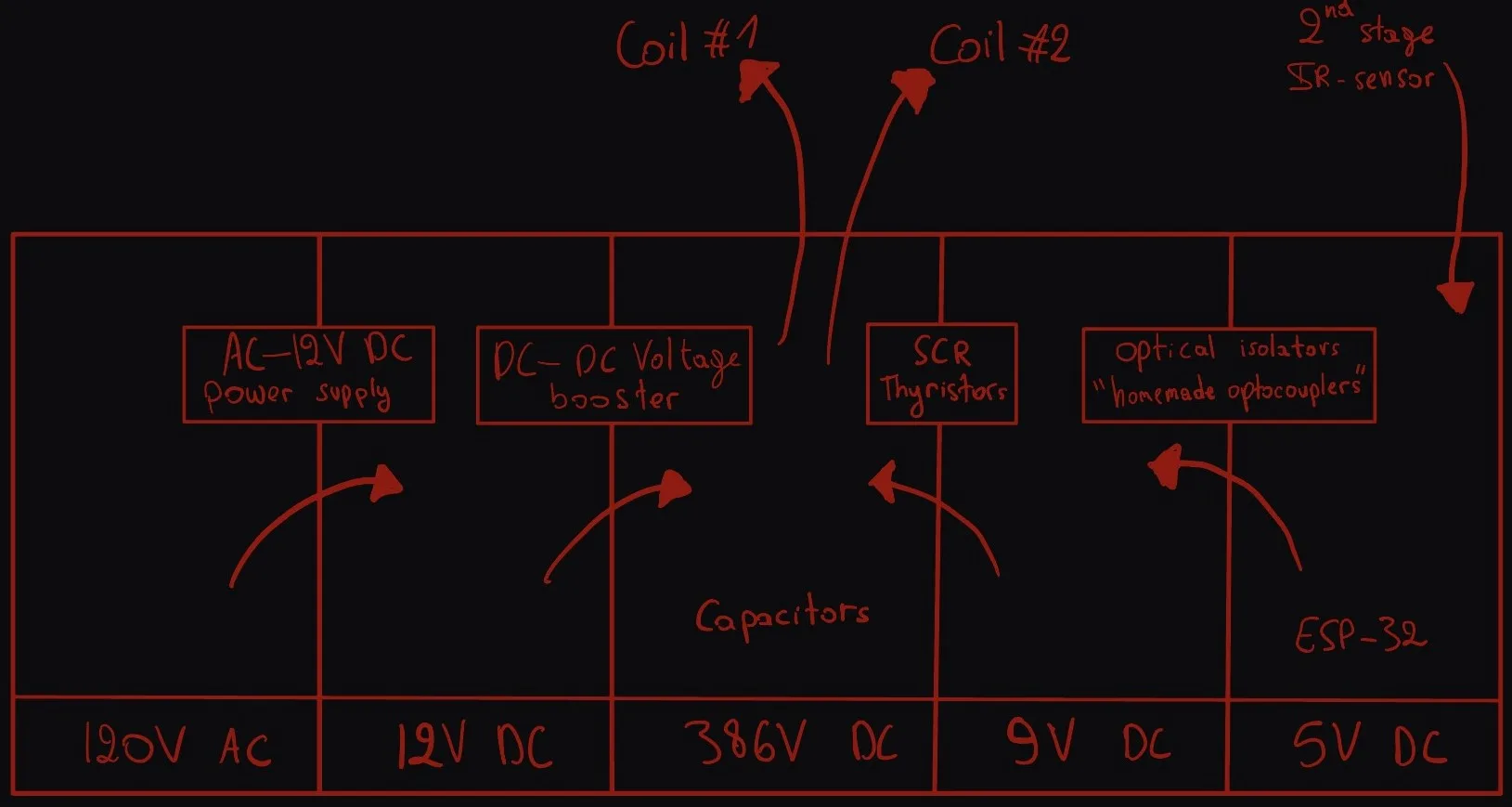
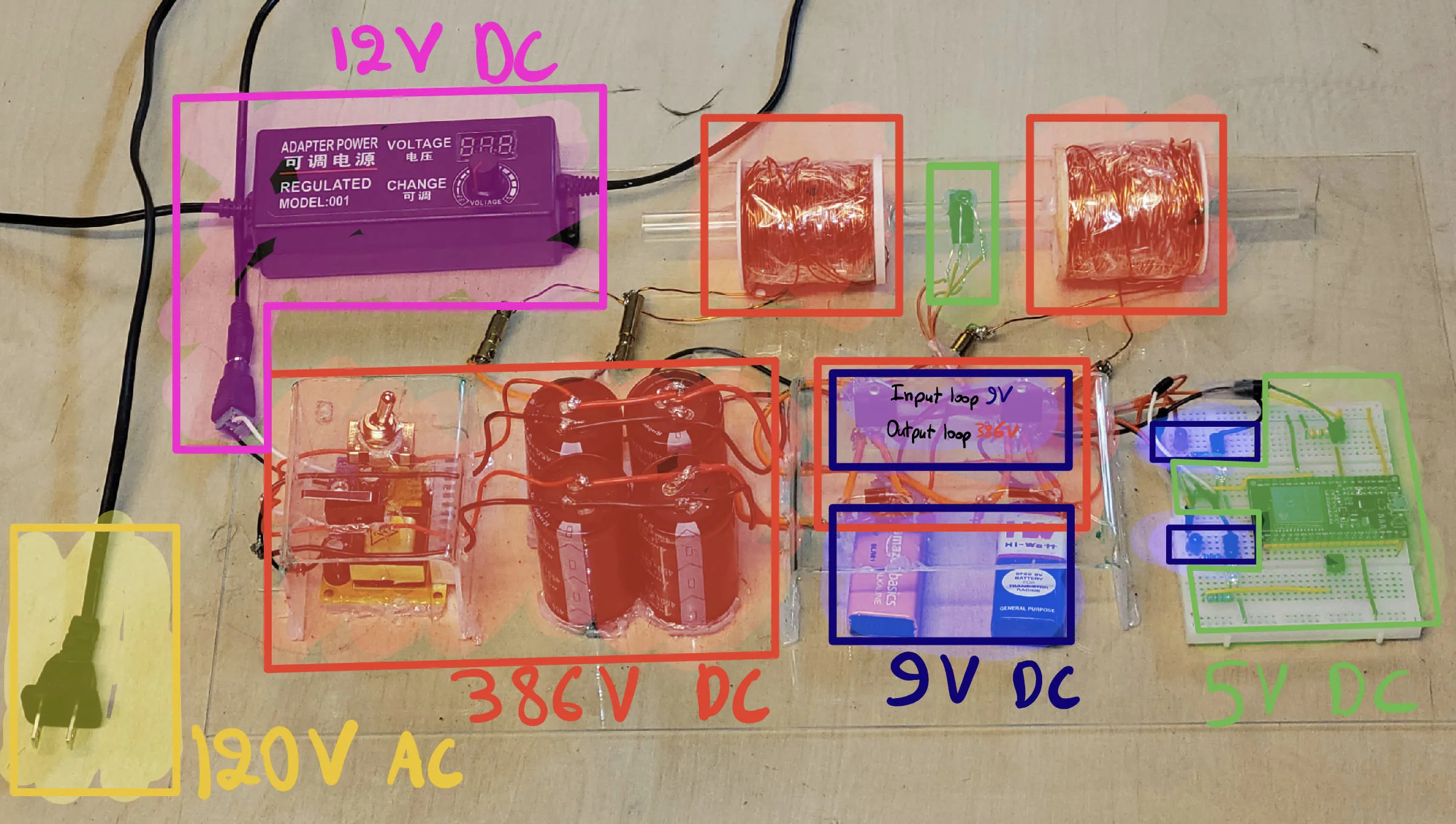
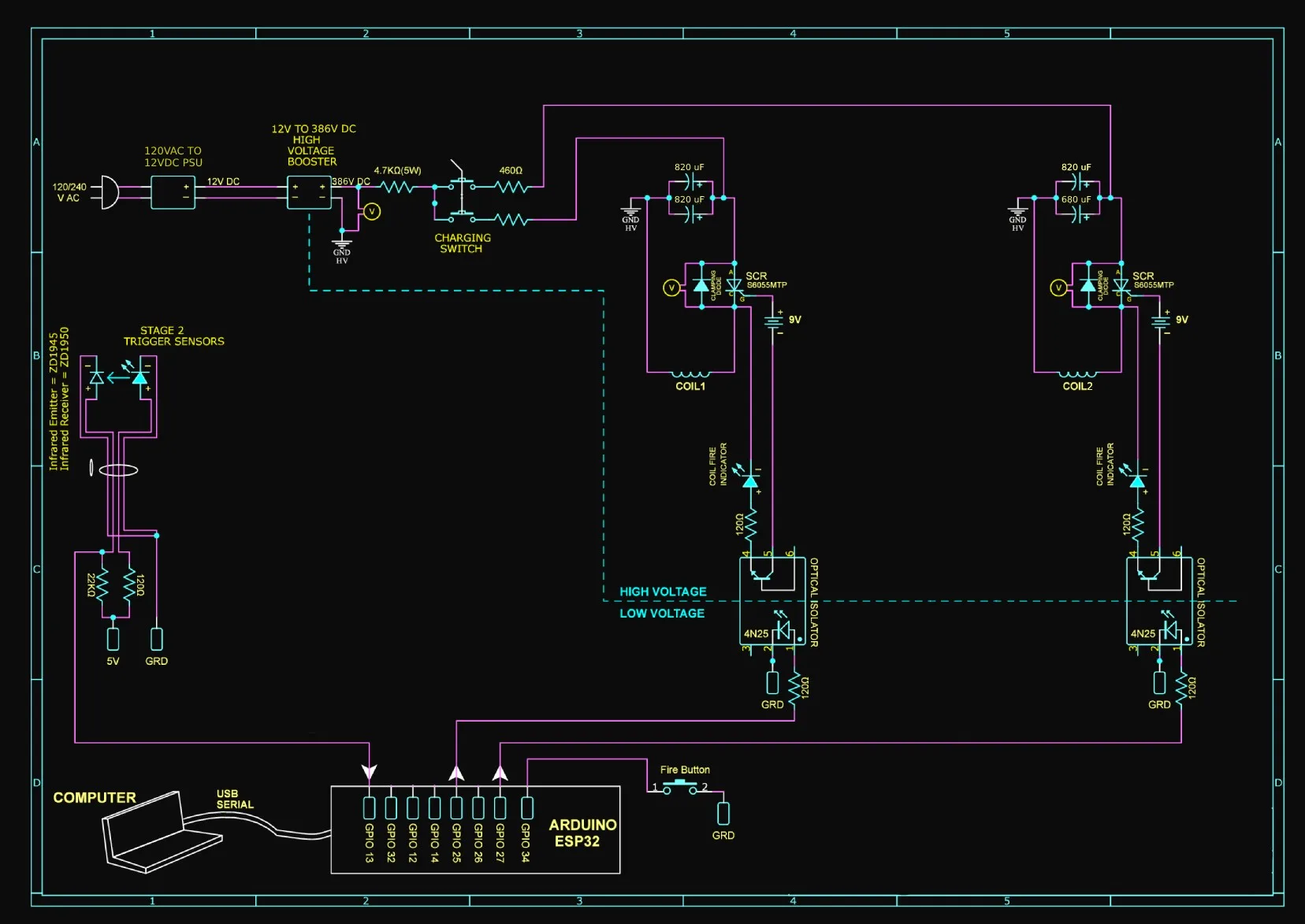
Voltage distribution across the main components.
Circuit — project illustration

My circuit is based on the reference schematic linked here , the main differences is the number of stages and the operating voltage. I also changed the isolation components: rather than using the packaged optocouplers shown in the original design, I used separate IR emitters and receivers to transfer control signals between the low- and high-voltage sections without direct electrical contact. Circuit — project illustration

Optimization


  • Optimization involves several interacting parameters: coil diameter, winding count, resistance, coil length, operating voltage, and capacitance. The projectile’s shape and length-to-diameter ratio also affect its behavior, so changing one part of the design means considering the rest of the system.
  • I also consulted an article on projectile dimensions , which discusses projectile dimensions relative to coil length and flight stability. It suggests a projectile at least half the coil’s length, with longer projectiles approaching that length. It also discusses length-to-diameter ratios of roughly three to five to reduce tumbling. These provided useful guidelines to consider alongside our own experiments.
  • Interrupt-driven code could replace continuous polling loops. The difference may be small in the current setup, but interrupts would become more useful as additional features are introduced. Joystick input, computer vision, and other tasks would all need to share processing time.
Optimization — project illustration

Distance optimization


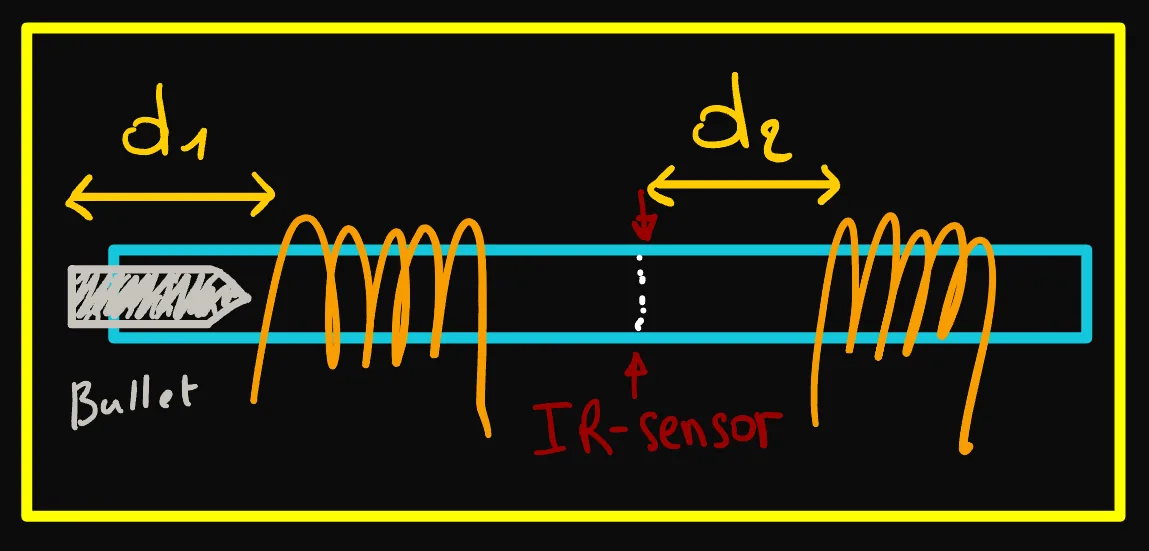
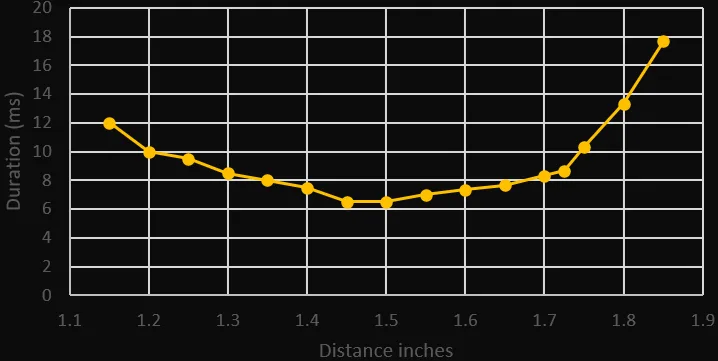
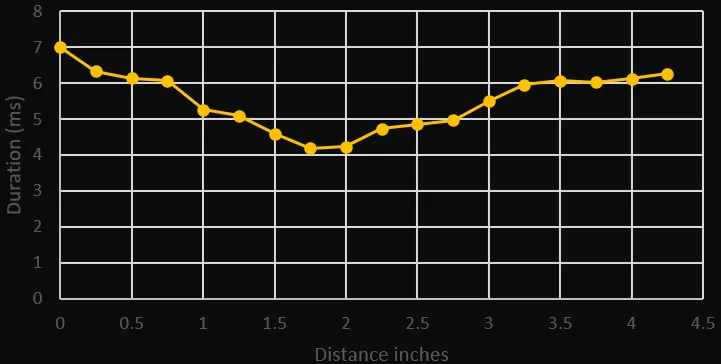
  • We focused on two distances: d1, between the projectile and the first stage, and d2, between the IR sensor and the second stage. Adjusting these positions let us compare how the timing affected performance.

We built a speedometer using two IR sensors separated by a measured distance. The projectile’s travel time between them let us calculate its speed. Using a caliper, we adjusted and measured the sensor spacing while recording travel times for each test.
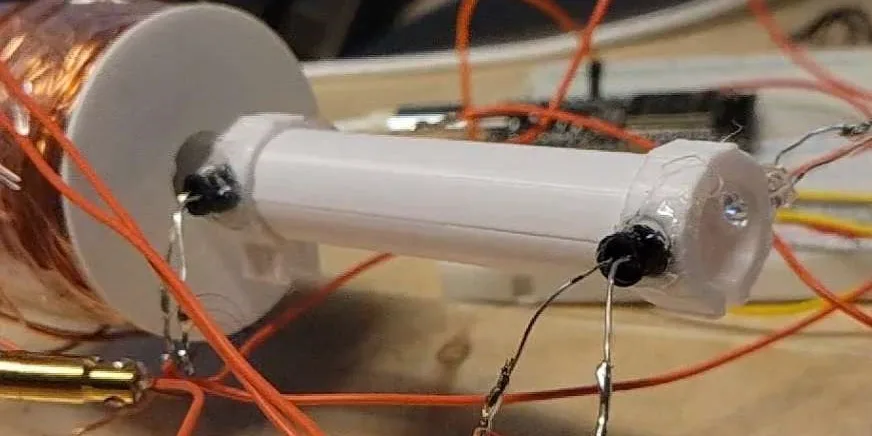
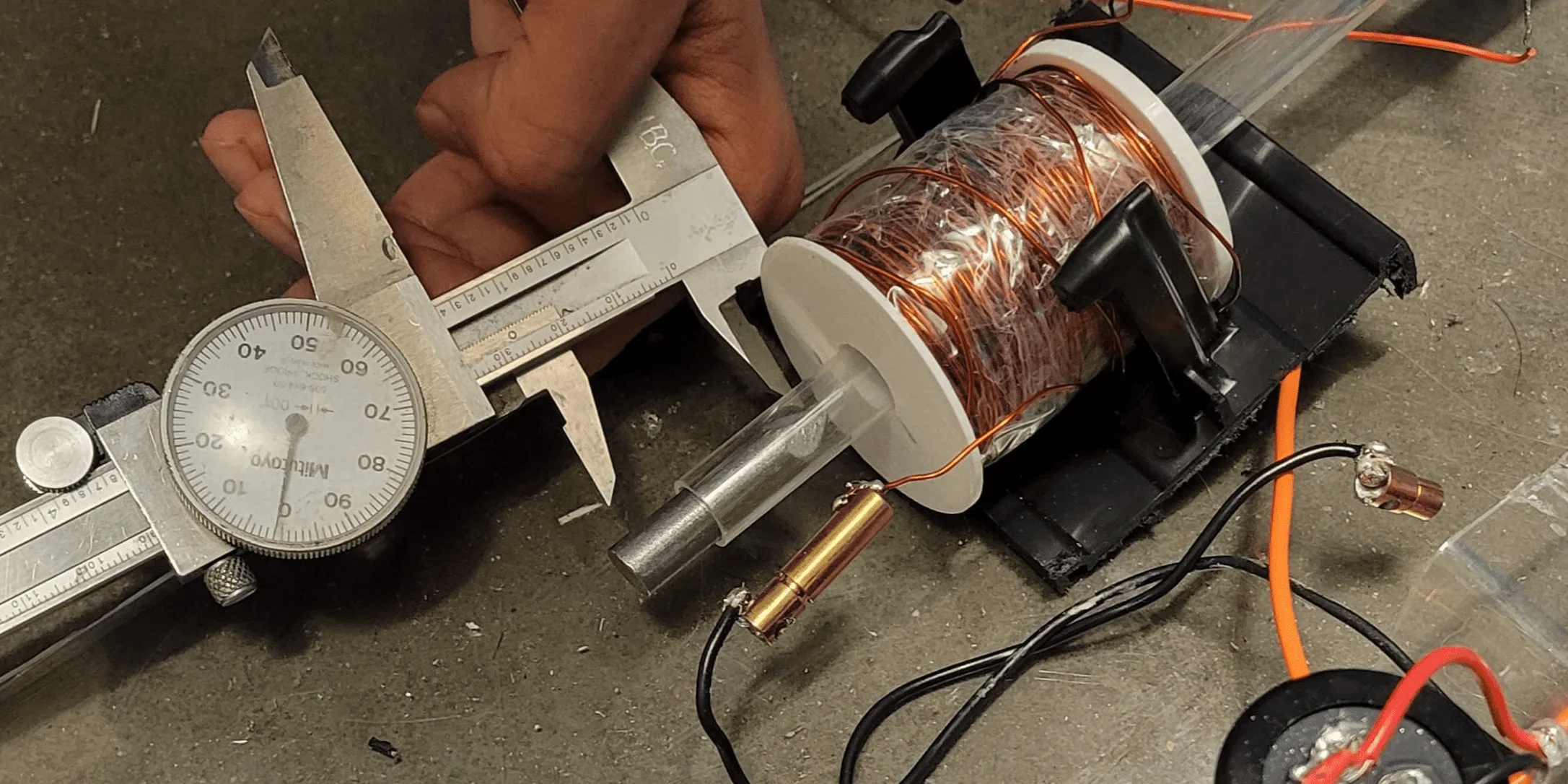
Distances Optimisation — project illustration
IR speedometer.
Distances Optimisation — project illustration
Collecting timing data.

  • We ran multiple tests per position and averaged the results. First, we tested the first stage alone to find and hot-glue the solenoid at the optimal starting distance (d_1). With both stages active, we then adjusted the sensor position (d_2) until we found the best-performing location, securing it there as well.
Distances Optimisation — project illustration
d1: Distance between the projectile and the first stage.
Distances Optimisation — project illustration
d2: Distance between the IR sensor and the second stage.

Final testing


  • Projectile mass: 20 g / 0.7 oz
  • Speed: 17.4 m/s / 57 ft/s
  • Energy: approximately 3 J